


Spades Solitaire - Card Games
4.93.70K Reviews
App Specs
- Version
- 1.32.0.20260717
- Updated On
- License
- Free
- Downloads
- 10,000,000+
- Developer
- Topy Games
- Categories
- Card
- Platform
- Android
Screenshots
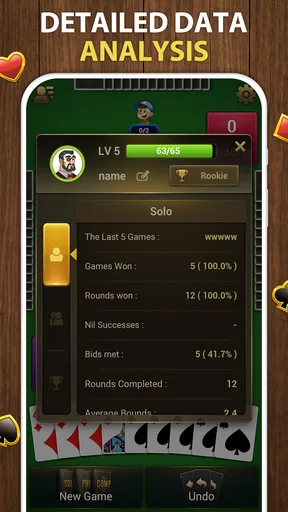
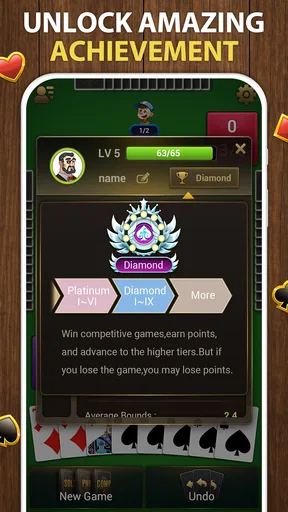
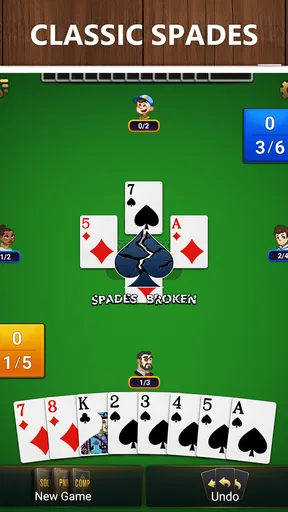
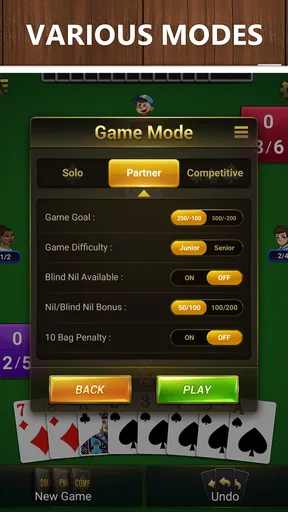
 Analysis by AppCompare
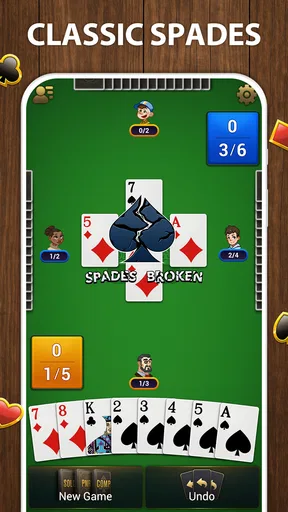
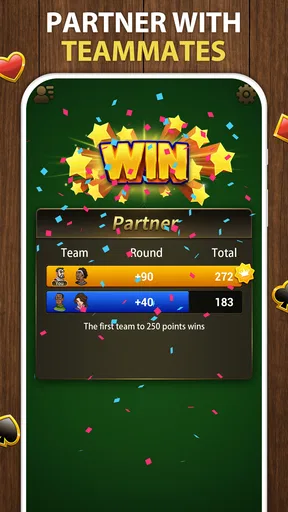
I like card games that make me think without demanding a long, uninterrupted session, and this one is built around that sort of small decision. A few cards can turn a quiet break into a satisfying puzzle, though the title can be confusing: this is a solo, Solitaire-style card game, not the familiar four-player Spades match. That distinction matters if you’re looking for team play or bidding against opponents.
What the early goals ask of you
The first appeal is easy to understand: work through a card layout and build the foundations in suit order, from Ace to King. That gives each round a clear destination, so a newcomer can focus on learning the basic rhythm rather than keeping track of a complicated campaign. I find that direct goal useful when I only have a few minutes and want to know what I’m trying to accomplish right away.
The decisions become more interesting when a move has consequences for what you can reach next. Instead of treating every available card as an automatic play, I try to look at the exposed cards and ask whether moving one now will help reveal or free a more useful card later. That small pause is the difference between clicking through the layout and actually solving it.
For a practical first-session approach, I’d take a moment to identify which cards are already available for the foundations, then consider whether moving them opens a better route through the tableau. If I get stuck, a hint can help me see a possible direction, but I wouldn’t tap it immediately every time: trying to spot the next move first is where the game’s modest strategic appeal comes from.
How progress feels without a big campaign
This is a card puzzle, so progress is less about following a story and more about getting a better feel for the layout and your own choices. A completed round gives a neat sense of closure; a difficult one can leave me reviewing the sequence of moves that led to a dead end. That makes improvement personal and immediate, rather than dependent on a long list of missions or a character to build up.
The daily challenge mentioned in the game’s feature set offers a reason to return, especially if you enjoy having a fresh puzzle to tackle. I’d treat it as a small routine rather than a major competitive commitment. It can add a distinct target to a normal play session, but the basic pleasure still comes from handling the cards in front of you and working toward the foundations.
That simple progress model is a strength if you want a game you can pick up and put down. It may feel thin if your idea of progress means unlocking a large collection of cards, climbing a detailed league, or steadily improving a deck. I wouldn’t choose this on the assumption that it is a broad progression game; its appeal is in the repeated puzzle-solving.
Worth Reading Before You Choose

Switching to Android Auto Means Rethinking Your Driving Routine

Google Calendar Makes a Crowded Week Easier to Manage

Baby Panda World Brings Quick Play to Modern Phones, but Its Game Library Feels Busy

ESPN’s Live Game View Makes Following Close Games Easier

QuizzLand Review: A Good Fit for Short Trivia Breaks, Not Every Player

Basketball Stars: Multiplayer Is Fast, but Can It Recover When Matches Go Wrong?
Challenge, pace, and the limits of hints
The learning curve starts gently because the destination is clear, then asks for more planning as you encounter less convenient layouts. In my view, that makes it approachable without making every round feel like a tutorial. Still, card layouts can create a tougher puzzle through the order in which useful cards are buried, and a sensible choice early on may matter more than a flurry of later taps.
The hint button is best used as a nudge, not as a substitute for thinking. If I’ve scanned the available cards and can’t see a productive move, a hint may get me moving again; if I use it before making any attempt, I lose the chance to learn how the layout is working. Hints can reduce frustration, but they don’t remove the basic uncertainty of deciding which move will open the most useful options.
Its measured pace suits a relaxed break better than a high-pressure gaming session. I can imagine playing while waiting for a coffee or winding down at home, stopping after a round without needing to remember a complicated plot. On the other hand, anyone who wants rapid matches against human opponents may find a solo puzzle too quiet, and the word “Spades” should not be mistaken for a promise of traditional partnership play.
Who should make room for it?
Spades Solitaire - Card Games is made by Topy Games and is a free card game for Android devices running version 6.0 or later. It arrived on November 23, 2021, and its current version is 1.28.0.20260331. The game is rated for Everyone; its 4.9 average from around 127,000 ratings and more than 10 million installs suggest that many players have found its straightforward format appealing.
I’d recommend it to someone who likes sorting cards, thinking a move or two ahead, and having a compact solo activity available without paying to start. It is also a reasonable option for a casual player who finds full-length multiplayer card sessions too demanding. If you’re new to this style, the simple foundation goal gives you a clear place to begin, while hints offer a way past moments when the layout stops making sense.
Where it sits among card-game alternatives
Compared with classic Klondike Solitaire, this game’s identity is framed around Spades and its solo presentation, but it still asks you to work toward four suit foundations. If you mainly want the familiar Klondike routine, a dedicated Solitaire app may be a more direct fit. If you want the social decisions, bidding, and partnership tactics of standard Spades, a multiplayer Spades game is the better choice. This app is for the in-between mood: familiar card handling with a puzzle-solving focus and no partner to coordinate with.
That distinction also helps set expectations for replay. The appeal is not a changing cast of rivals or a growing collection of competitive modes; it’s the satisfaction of making a cleaner sequence of choices on the layout in front of you. A daily puzzle can give that habit a little structure, but players who need frequent new mechanics may prefer a broader card-game collection.
Small choices that make sessions smoother
One useful habit is to avoid moving cards simply because they can be moved. Before committing, I look for whether the move exposes another card or makes a foundation sequence more reachable. It’s a modest technique, but it helps prevent the common feeling of having made plenty of moves without making meaningful progress.
I also think it’s worth deciding what kind of session you want before opening the game. For a short pause, I’d focus on one puzzle and leave the hint button as a backup. For a more attentive session, I’d slow down and compare the available moves instead of treating the game like a reflex test. The same layout can feel either calming or frustrating depending on whether I’m willing to plan ahead.
The trade-off is that a hint can make a stalled round less irritating while also taking away some of the discovery. Likewise, the familiar cards make it easy to start, but they don’t guarantee every layout will feel fresh. I see the game as a reliable small puzzle, not an endless source of surprise, and that is a fair bargain if you enjoy the core card decisions.
Getting Started with Spades Solitaire
First things first, downloading the app is a breeze. It's available for both Android and iOS, so no matter what device you're on, you're covered. Once installed, you're greeted with a clean and intuitive interface. The developers have done a fantastic job of keeping things user-friendly, so you won't find yourself fumbling through endless menus. It's one of those games where you can just jump right in without a second thought.
The Gameplay Experience
Now, let's talk about the gameplay. Spades Solitaire - Card Games takes the traditional rules of Spades and gives them a solo twist. Unlike the classic Spades, where you team up with a partner, here you're flying solo, which adds a new layer of strategic thinking. The goal is to complete the game with the fewest moves possible, and trust me, it gets addictive pretty quickly.
You'll start with a standard 52-card deck, and the rules are straightforward. You need to arrange the cards into four foundation piles, starting with the Ace and ending with the King. Sounds simple, right? But as you progress, the challenge ramps up. You'll find yourself planning several moves ahead, trying to figure out the best strategy to clear the table.
Visuals and Sound
Visually, the game is quite appealing. The graphics are crisp, and the card animations are smooth, which makes for a pleasant visual experience. The app also offers various themes, so you can customize the background and card design to your liking. Whether you prefer a classic look or something more modern, there's something for everyone.
As for the sound, it's pretty minimalistic, which I personally appreciate. There's a gentle background tune that keeps you relaxed while you're playing. If you're someone who likes to play games with sound on, but not get distracted by it, you'll be happy with what Spades Solitaire offers.
Features Worth Mentioning
One of the standout features of this app is the daily challenges. Every day, you're presented with a new puzzle to solve, which keeps things fresh and exciting. Plus, it's a great way to test your skills and see how you stack up against other players.
The game also includes a handy hint system. If you ever find yourself stuck, a quick tap on the hint button will guide you in the right direction. It's a nice touch that ensures you never feel completely lost, especially during those trickier levels.
Final Thoughts
Overall, Spades Solitaire - Card Games is a delightful app that brings a fresh twist to two beloved card games. It's perfect for anyone looking to kill some time while also giving their brain a bit of a workout. Whether you're a seasoned card player or a complete newbie, there's plenty to enjoy here.
So, if you're up for a fun, strategic challenge, why not give it a shot? You might just find yourself hooked. And don’t worry, with the download links right here on our site, you can get started in no time. Happy gaming!
Pros
- Easy-to-use interface for quick gameplay.
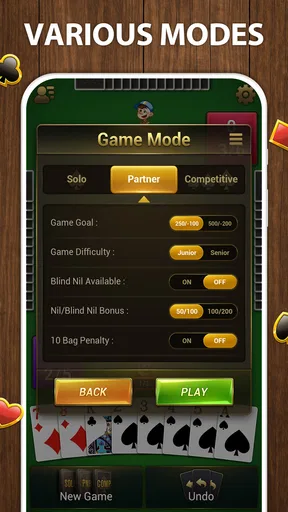
- Multiple game modes to keep it interesting.
- Smooth graphics with appealing animations.
- Offline mode available for on-the-go play.
- Customizable card decks and backgrounds.
Cons
- Contains in-app purchases for extra features.
- Ads can be intrusive during gameplay.
- Limited social features for multiplayer.
- Occasional lag on older devices.
- Lacks detailed tutorials for beginners.
FAQs for Spades Solitaire - Card Games
What is Spades Solitaire - Card Games and how does it differ from traditional Spades?
Spades Solitaire - Card Games is a unique twist on the classic Spades game, combining elements of Solitaire for a fresh gaming experience. Unlike traditional Spades, this version can be played solo, focusing on strategic card placement and solitaire-style gameplay, offering both challenge and entertainment to card game enthusiasts.
Is Spades Solitaire - Card Games free to play, or are there in-app purchases?
Spades Solitaire - Card Games is free to download and play. However, it does offer in-app purchases that can enhance the gaming experience. These purchases might include additional features, themes, or card packs. While optional, they can provide added customization and enjoyment for players who wish to invest in them.
Can I play Spades Solitaire - Card Games offline, or is an internet connection required?
Yes, you can play Spades Solitaire - Card Games offline. The game is designed to be enjoyed anywhere, anytime, without the need for a constant internet connection. This makes it an ideal choice for users who travel or have limited access to Wi-Fi or mobile data.
What are the device requirements for installing Spades Solitaire - Card Games?
To install Spades Solitaire - Card Games, you will need an Android or iOS device with a recent operating system version. Ensure your device has enough storage space for the app and any updates. It's always a good idea to check the app store for specific device compatibility and requirements before downloading.
Does Spades Solitaire - Card Games offer multiplayer options or is it strictly single-player?
Spades Solitaire - Card Games primarily focuses on a single-player experience, allowing users to enjoy the game at their own pace. However, some versions may include leaderboards or challenges where you can compete with friends or global players, adding a social element to the gameplay.


